
Built for Church Planters and Bivocational Pastors Without Media Teams
Turn Your Sermon Notes Into
Ready-to-Record Video Scripts.
Stop wondering what to post or spending hours figuring out what to say. We turn the message you’ve already prepared into short video scripts you can record on your phone and share throughout the week.
No livestream. No media team. No starting from scratch.

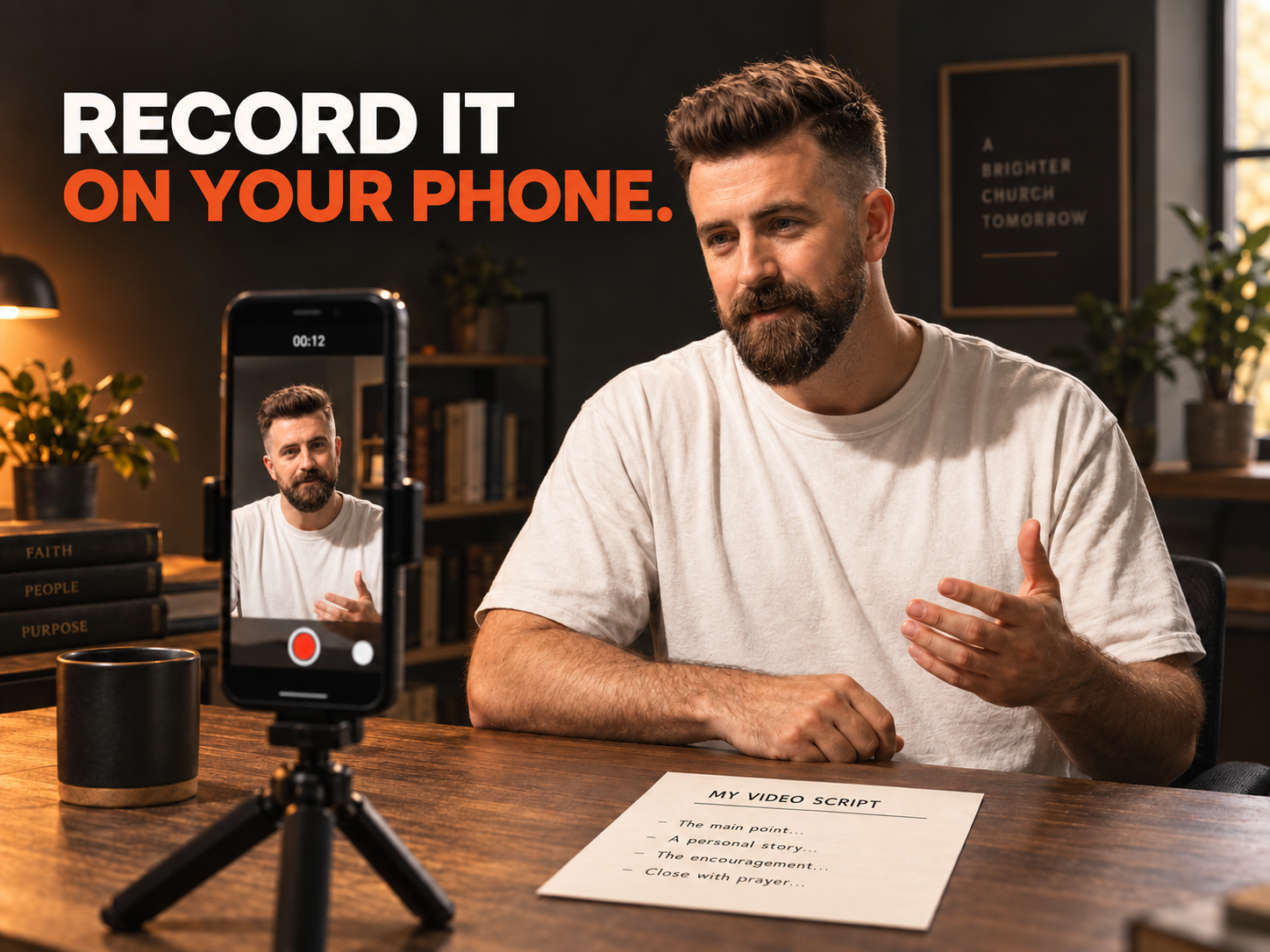
Your First Ready-to-Record Script Is Less Than 3 Minutes Away
Built by Joshua Reaves—a ministry leader and digital missionary whose work has generated millions of views and helped more than 300 people respond to the Gospel through digital content.
One Sermon.
Multiple Opportunities to Connect.
Your sermon already contains ideas worth sharing.
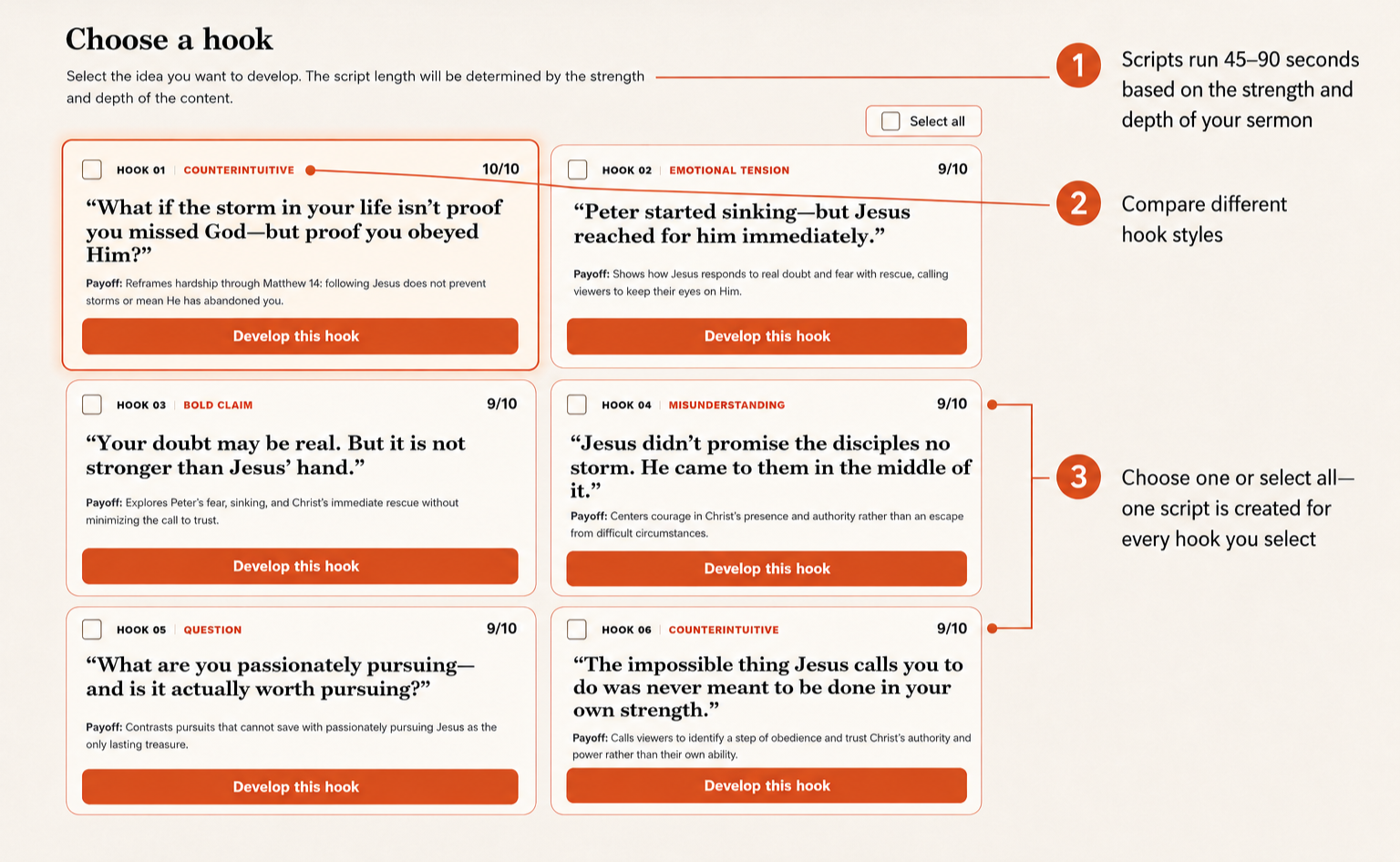
The Sermon to Social System finds every strong short-form angle your message can support, then creates a faithful, ready-to-record 45–90 second script for each hook you choose.
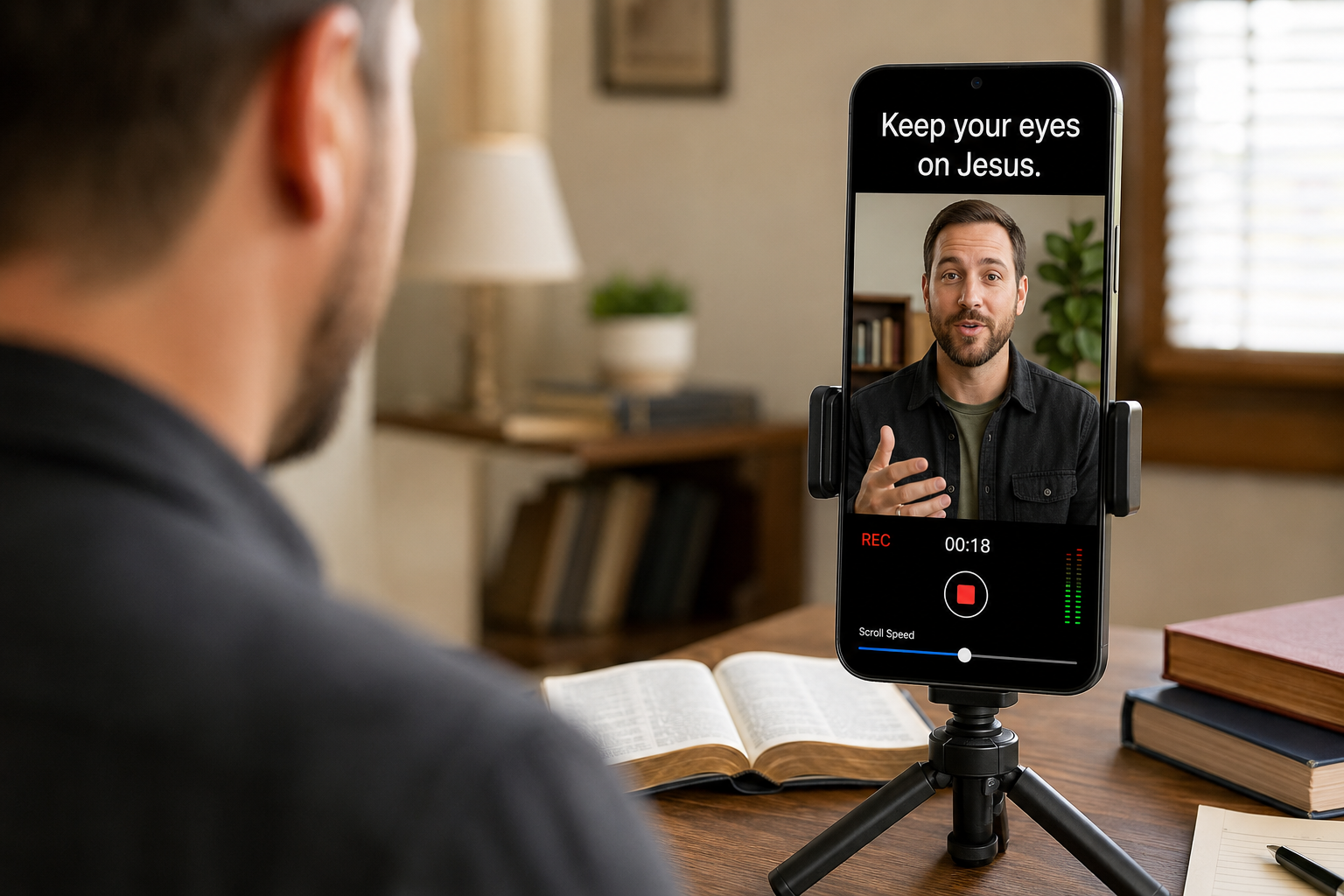
Choose one—or select them all. Then copy your scripts into a teleprompter app, record them on your phone and stay present in your community throughout the week.
-
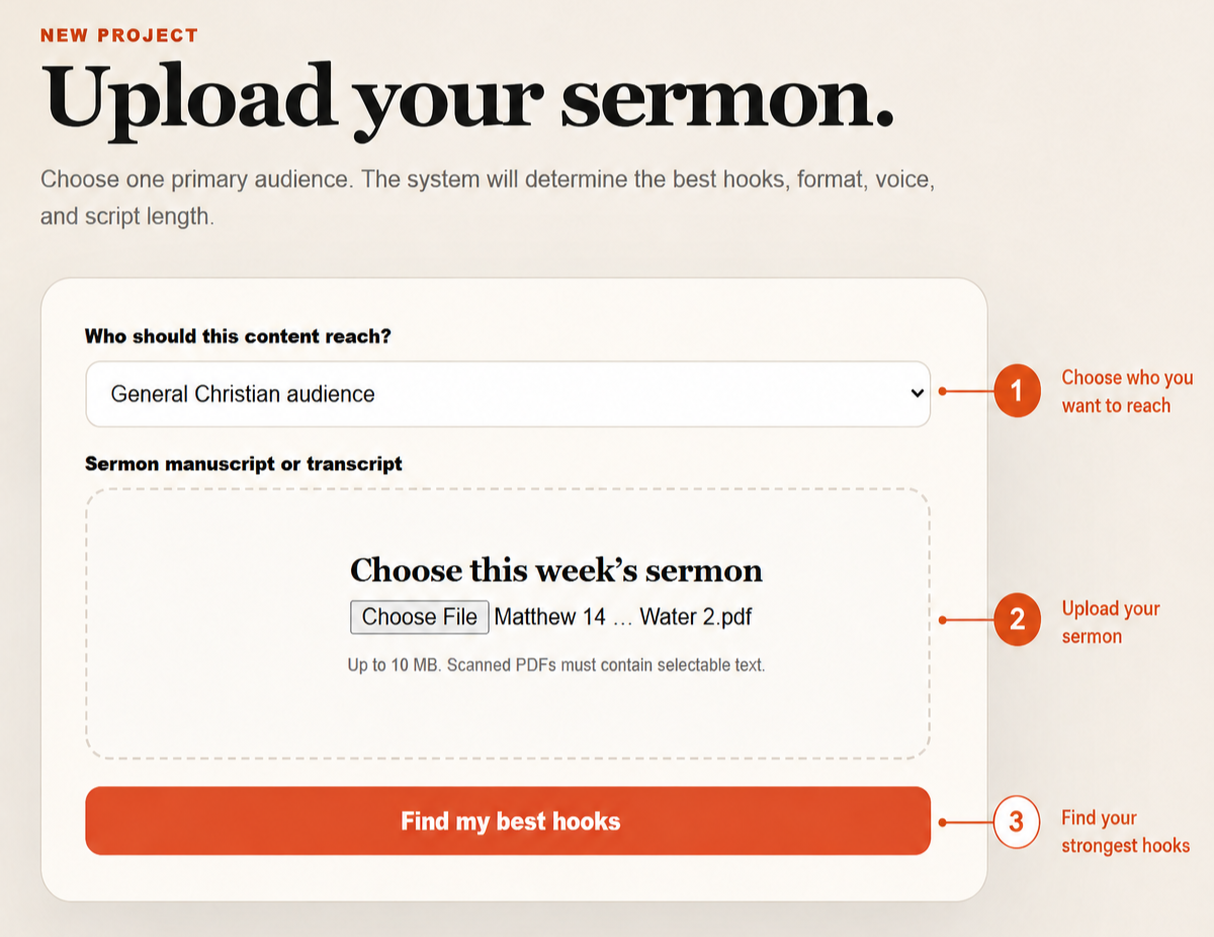
Add your manuscript and choose the audience you want to reach.
-
Review multiple audience-specific angles and select one—or every idea you want to develop.
-
Get a ready-to-record script for every selected hook, paste it into a teleprompter and record it on your phone.
Ready in minutes • No livestream • No expensive equipment • No content team
See What One Sermon Can Become
SEE THE SYSTEM WORK
Upload your sermon and the system uncovers multiple short-form angles based on its strongest ideas. Choose one—or select them all—and receive a ready-to-record 45–90 second script for every hook you develop.

Step 1: The sermon goes in
Step 2: Multiple hooks come out
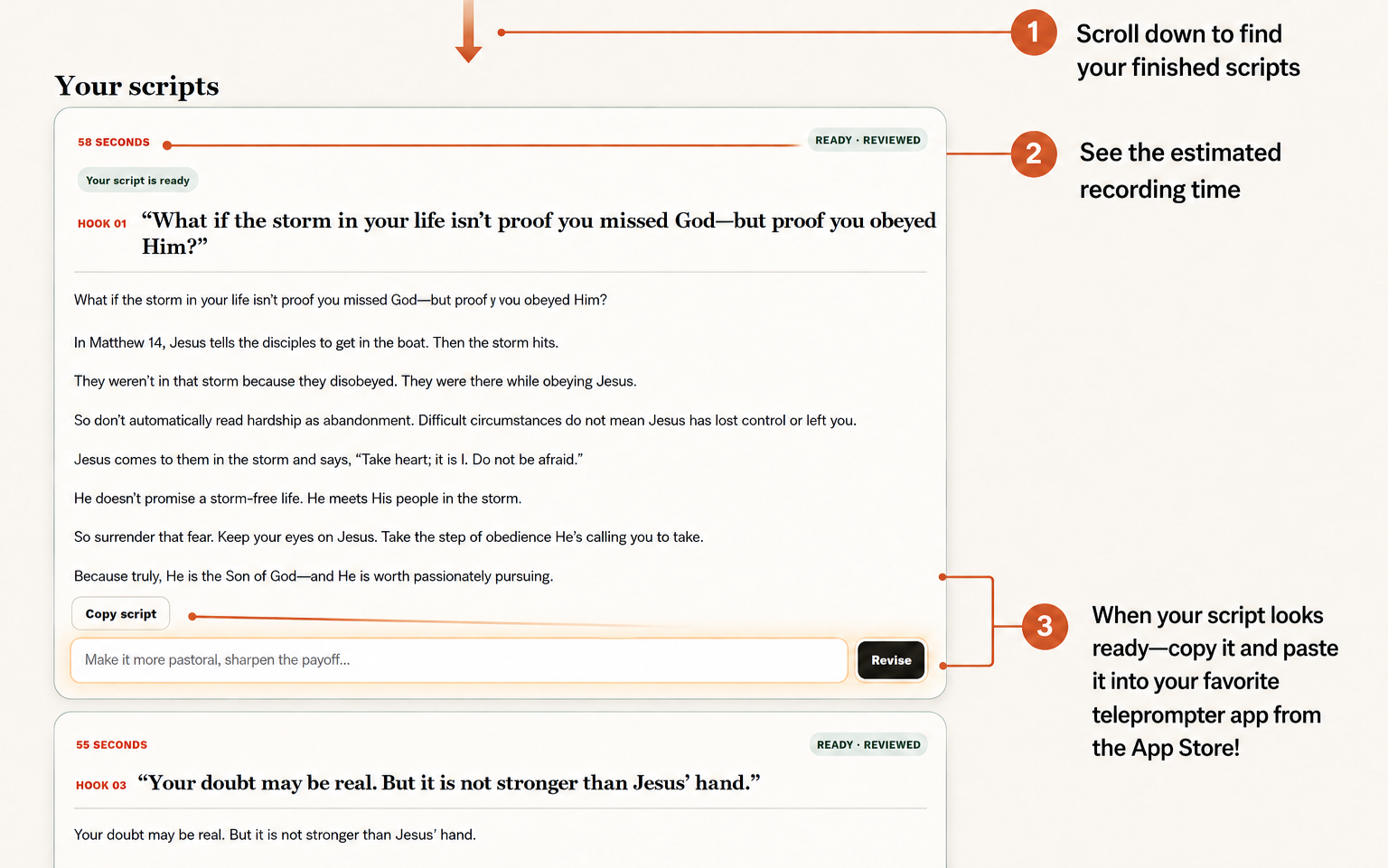
Step 3: Every selection becomes a script
Once the Script Is Ready, You Choose What Happens Next
Record & Post
Follow the included training to record, quickly edit, and post each video using the phone you already own.
Hand it to a Volunteer
Record the scripts and send the footage to a volunteer or editor. You provide the message; they handle the finishing work.

Content isn’t the goal;
Connection is.
You’re not trying to become an influencer.
You’re trying to help people become familiar with your church and the message you preach.
Why Churches Struggle With Social Media
Churches want to reach more people online, but…
-
We help you avoid random, ineffective content because we give you engaging hooks and scripts to grow your audience.
-
Writing, recording, and posting takes hours, and without a plan, it’s overwhelming… Don’t worry; we got your back!
-
Ready-to-use scripts that tell you exactly what to say so your videos are clear, engaging, and effective. No more guesswork—just simple, powerful content that helps your church reach and inspire more people to follow Jesus.
-
If your video doesn’t grab attention fast, people scroll past. We curate content from your sermon that will allow you to confidently record and post videos that are designed to grab attention.
-
If you have no idea what to post - it’s easy to be inconsistent. That’s why we make it easy for you to know exactly what to say based on your sermon!
-
We make content creation simple, stress-free, and effective.
-
Many feel awkward on camera, unsure of what to say and afraid of posting cringeworthy content—but we fix that by giving you the exact words and simple tips to help you feel confident, natural, and engaging!
Our Sermon to Social System fixes all of this for you.
FAQs
-
The majority of people engage with churches online before ever stepping foot in a building. Consistent, high-quality social content helps increase engagement, attract new visitors, and disciple people beyond Sunday services.
-
Upload your sermon, select your hooks, generate your scripts, copy and paste your scripts into your favorite teleprompter app, and record!
-
Instead of spending hours (or years) experimenting with social media, you get content that works immediately, freeing you to focus on discipleship, outreach, and ministry while still growing your online reach.
Social media isn’t like preaching from a pulpit. It’s a completely different way of communicating, and if you don’t understand how to capture attention, keep people engaged, and inspire action, your content won’t reach the people who need it.
We’ve built a system that takes your sermon and transforms it into engaging, high-impact social content designed to reach people where they are online.
-
You take the scripts, paste them into a teleprompted app (like BIGVU), record content, and then post it on Youtube, TikTok, Instagram, etc.
Our system includes a short video training on how to record the content and post to social media.
-
No livestream? No problem.
The Sermon to Social system works with any church—whether you livestream or not. However, it’s built for church planters and small churches that want to start taking social media content seriously. To generate your custom scripts, all we need is your sermon notes or a written transcript. From there, we turn your message into engaging, high-impact video scripts.You can then record on your phone and post yourself, or record and send to a volunteer who can post for you.
-
Social media is a tool, just like a fitness program. A trainer can’t guarantee you’ll lose X amount of pounds in however many months, but if you show up consistently, follow the plan, and put in the effort, you’ll see results.
It’s the same with social media—the more you post, engage, and stay consistent, the more opportunities you have to reach people and grow your impact as a church.
A strong, consistent social media presence keeps your church top of mind throughout the week, helping you connect with people beyond Sunday and making it easier for new visitors to find and engage with your church.
-
Create a routine for regularly uploading, generating scripts, and recording. If you utilize a volunteer to help edit and post, then you’ll be able to create a rhythm that keeps you both accountable. Our suggestion is to pick a day of the week you know the sermon will be done by and use that as your day to generate the scripts and record from your phone.
-
If you haven’t enjoyed the Sermon to Social System during the first 60 days - we will refund your money back no questions asked.